Have you ever received an email claiming your account was about to be suspended unless you logged in immediately? A few years ago, I received one that looked almost identical to a legitimate banking notification. The logo was perfect, the wording sounded professional, and the link appeared trustworthy at first glance.
Fortunately, I paused before clicking.
That experience sparked my interest in learning how hackers steal passwords and why millions of people still fall victim to these attacks every year.
The reality is that password theft isn’t just something that happens to large corporations or celebrities. Everyday internet users are targeted constantly through phishing emails, fake websites, malware, social engineering, and data breaches.
In this guide, I’ll break down the most common methods hackers use to steal passwords, share real-world examples, explain how these attacks work, and most importantly, show you how to protect yourself online.
Why Passwords Remain a Major Security Target
Passwords are often the keys to our digital lives.
They protect:
- Email accounts
- Online banking
- Social media profiles
- Cloud storage
- Shopping accounts
- Work systems
Once a hacker gains access to a password, they may gain access to much more than a single account.
In many cases, one compromised password can unlock multiple services if the user reuses the same credentials across platforms.
That’s why cybercriminals continue investing heavily in password-stealing techniques.
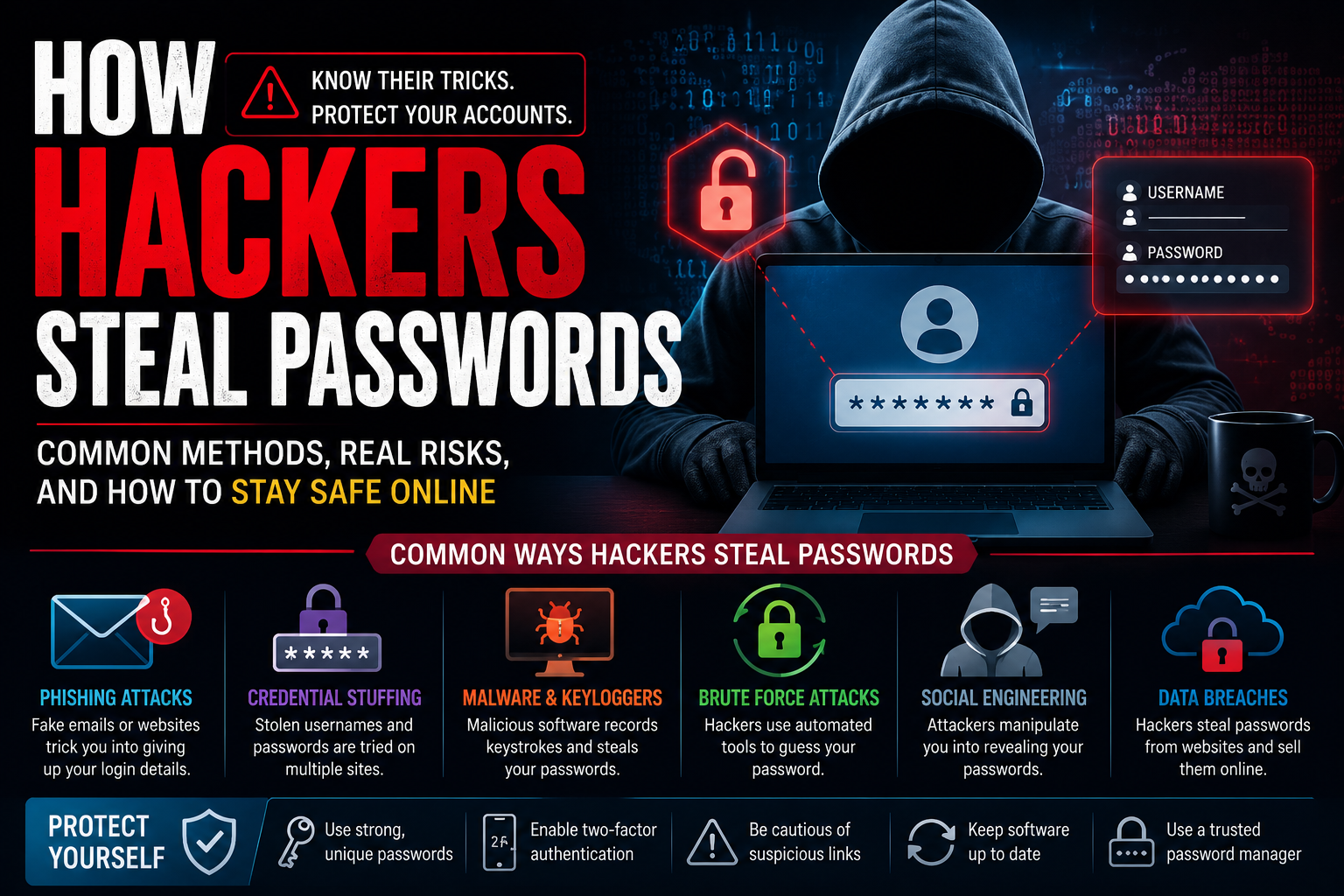
The Most Common Ways Hackers Steal Passwords
Understanding how attacks work is the first step toward preventing them.
Phishing Attacks
Phishing remains one of the most successful password theft methods.
How Phishing Works
Hackers create fake websites or emails that mimic trusted companies.
Common targets include:
- Microsoft
- PayPal
- Amazon
- Banks and financial institutions
Victims receive messages urging them to:
- Verify an account
- Reset a password
- Confirm payment details
- Resolve a security issue
The fake login page captures the entered credentials and sends them directly to attackers.
Real-World Example
In my experience, phishing emails have become dramatically more convincing over the years.
I was skeptical at first when security experts warned how realistic modern phishing campaigns could be, but after analyzing several examples, I realized many fake emails are nearly indistinguishable from legitimate ones.
Credential Stuffing Attacks
Credential stuffing exploits one simple habit:
People reuse passwords.
How It Works
When a company suffers a data breach, stolen usernames and passwords often appear on criminal marketplaces.
Hackers then use automated tools to test those credentials across hundreds of websites.
For example:
- Email password
- Shopping account password
- Social media password
If all three are identical, attackers may gain access to multiple accounts instantly.
Why It Works So Well
Many users underestimate how often data breaches occur.
A password leaked years ago can still create risks today if it’s reused elsewhere.
Keylogging Malware
Keyloggers are among the most dangerous password theft tools.
What Is a Keylogger?
A keylogger records every keystroke typed on a device.
This includes:
- Passwords
- Credit card numbers
- Emails
- Messages
The collected information is secretly transmitted to attackers.
How Keyloggers Get Installed
Common infection methods include:
- Fake software downloads
- Pirated applications
- Malicious email attachments
- Infected websites
One wrong click can compromise an entire device.
Brute Force Attacks
Some hackers simply try to guess passwords.
While it sounds primitive, it can still be effective.
How Brute Force Works
Automated software rapidly tests thousands or even millions of password combinations.
Weak passwords such as:
- 123456
- password
- qwerty
- admin123
can often be cracked within seconds.
Strong Passwords Matter
The longer and more complex a password becomes, the harder it is to crack.
A randomly generated 16-character password is exponentially stronger than a simple dictionary word.
Social Engineering
Sometimes hackers don’t need technical tools at all.
They simply manipulate people.
What Is Social Engineering?
Social engineering involves tricking victims into revealing sensitive information.
Examples include:
- Fake tech support calls
- Fraudulent text messages
- Impersonation scams
- Customer service impersonation
Hackers often exploit urgency, fear, or curiosity.
Mini Story
A friend once received a phone call from someone claiming to be from technical support.
The caller sounded professional and knew basic information about the account.
Thankfully, my friend refused to provide login details and contacted the company directly.
The call turned out to be a scam.
Data Breaches
Large-scale data breaches remain a significant source of stolen passwords.
How Breaches Happen
Organizations may suffer attacks involving:
- Vulnerable software
- Misconfigured servers
- Insider threats
- Stolen databases
When user credentials are exposed, hackers may:
- Sell the information
- Use it themselves
- Launch credential stuffing campaigns
Some of the largest breaches in history exposed hundreds of millions of user accounts.
Fake Wi-Fi Networks
Public Wi-Fi can create risks if used carelessly.
Evil Twin Attacks
Hackers create fake Wi-Fi hotspots that resemble legitimate networks.
Examples:
- Airport Free WiFi
- Hotel Guest WiFi
- Coffee Shop Internet
Victims unknowingly connect and transmit sensitive information through attacker-controlled networks.
Protection Tip
Always verify network names with staff before connecting.
Using a trusted VPN can add another layer of security.
Password-Stealing Malware
Modern malware is increasingly sophisticated.
Many malicious programs specifically target stored credentials.
Information-Stealer Malware
These programs search for saved passwords in:
- Browsers
- Password managers
- Applications
- Cryptocurrency wallets
Popular browsers targeted include:
- Google Chrome
- Mozilla Firefox
- Microsoft Edge
Keeping software updated helps reduce these risks.
How Hackers Target Businesses
Password theft isn’t limited to individuals.
Organizations face enormous risks.
Business Account Attacks
Hackers frequently target:
- Employee accounts
- Remote access systems
- Cloud platforms
- Corporate email accounts
A single compromised password can lead to:
- Data theft
- Financial fraud
- Ransomware attacks
- Business disruption
This is why many companies require multi-factor authentication (MFA).
How to Protect Yourself From Password Theft
Fortunately, strong security habits dramatically reduce risk.
Use Unique Passwords Everywhere
Never reuse passwords.
If one account becomes compromised, others remain protected.
Use a Password Manager
Trusted password managers include:
- 1Password
- Bitwarden
- Dashlane
These tools generate and store strong passwords securely.
What I loved most about using a password manager was no longer needing to remember dozens of complex passwords.
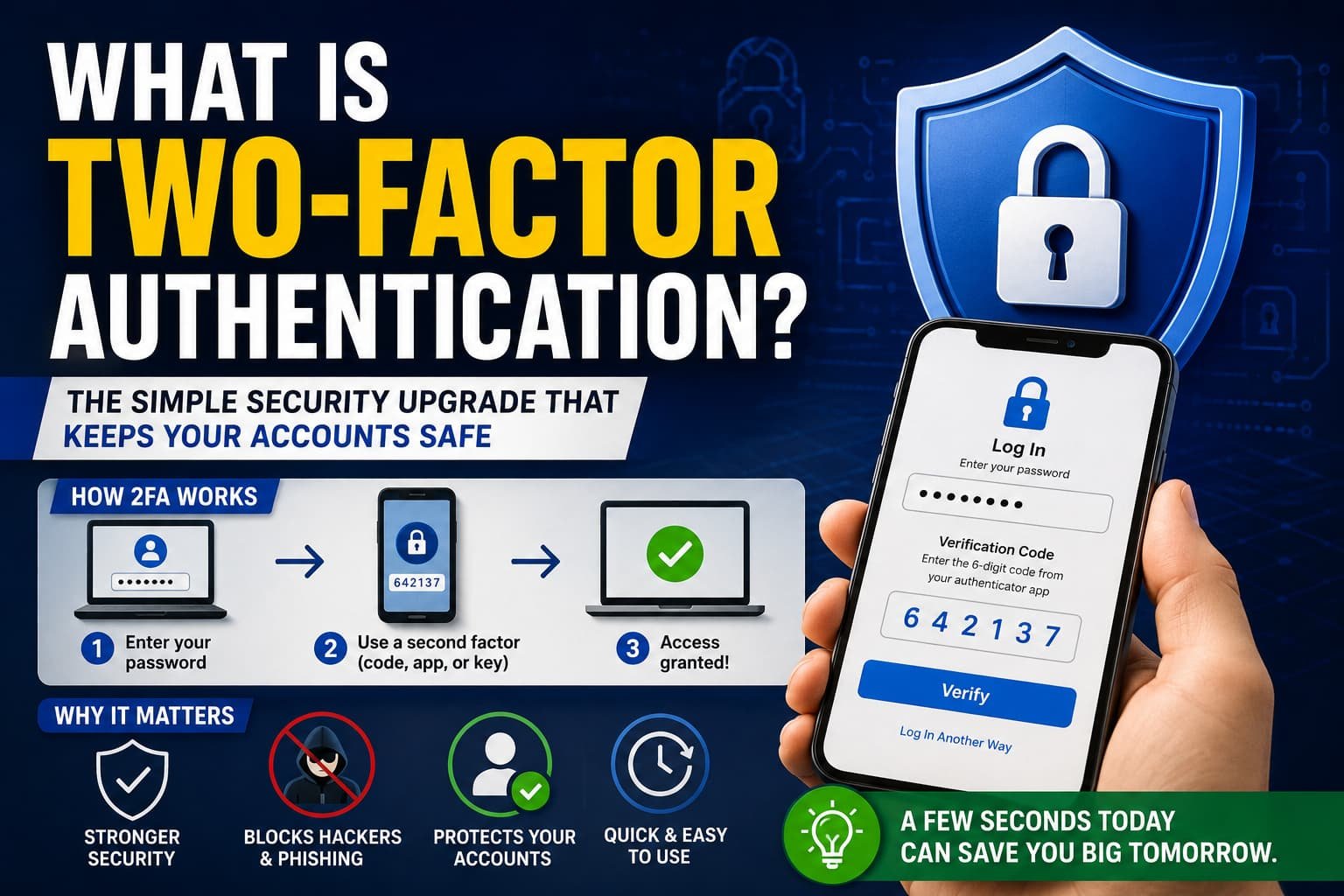
Enable Multi-Factor Authentication (MFA)
MFA adds an additional verification step.
Even if attackers steal your password, they still need:
- Authentication codes
- Security keys
- Mobile approvals
This dramatically improves security.
Watch for Phishing Signs
Look for:
- Suspicious URLs
- Grammar mistakes
- Unexpected attachments
- Urgent demands
If something feels off, verify independently.
Keep Software Updated
Updates often patch security vulnerabilities.
Regularly update:
- Operating systems
- Browsers
- Apps
- Security software
Common Password Mistakes People Still Make
Even today, many users unknowingly create risks.
Avoid:
- Reusing passwords
- Sharing passwords
- Saving passwords in plain text
- Ignoring security updates
- Using weak credentials
My biggest concern when improving my own security was managing dozens of unique passwords. A password manager solved that problem almost immediately.
Quick Security Checklist
If you only remember a few things from this article, remember these:
- Use unique passwords
- Enable MFA everywhere possible
- Avoid suspicious links
- Use a password manager
- Update devices regularly
- Monitor accounts for unusual activity
Small habits can prevent major problems.
Frequently Asked Questions
Can hackers steal passwords without clicking a link?
Yes. Malware, data breaches, keyloggers, and compromised networks can sometimes steal credentials without users clicking phishing links.
Are password managers safe?
Reputable password managers are generally much safer than reusing weak passwords. They use strong encryption and security practices to protect stored credentials.
What should I do if my password is stolen?
Immediately change the password, enable MFA, review account activity, and update any other accounts using the same credentials.
Final Thoughts
Understanding how hackers steal passwords is one of the most important steps toward protecting your digital life. While cybercriminals continue developing new techniques, most attacks still rely on exploiting common human mistakes such as password reuse, phishing, and weak security habits.
In my experience, the best defense isn’t becoming a cybersecurity expert. It’s building a few simple habits: using unique passwords, enabling multi-factor authentication, staying alert to phishing attempts, and keeping software updated.
Cybersecurity doesn’t require perfection. It requires awareness.
The more you understand how attackers operate, the harder it becomes for them to succeed.
Have you ever encountered a phishing email, suspicious login attempt, or password-related security scare? Share your experience in the comments. Your story might help someone else avoid becoming the next victim.