
Social media can feel a lot like trying to cook dinner while simultaneously grocery shopping. One day you’re posting consistently, engagement is climbing, and everything feels under control. Then suddenly, you’re scrambling for content ideas five minutes before a post is supposed to go live.
I’ve been there.
A few years ago, I managed multiple social media accounts without any real system. Every morning started with the same question: “What should I post today?” It wasn’t just stressful—it was inefficient. Content quality suffered, important campaigns were forgotten, and growth became unpredictable.
The solution was surprisingly simple: creating a social media content calendar.
According to research from leading social media management platforms, brands that plan content in advance often maintain more consistent posting schedules and improve overall engagement because they can focus on strategy rather than last-minute execution.
In this guide, I’ll walk you through exactly how to create a social media content calendar, avoid common mistakes, and build a system that actually saves time while improving content quality.
What Is a Social Media Content Calendar?
A social media content calendar is a planning document that organizes your upcoming social media posts across different platforms.
Think of it as a roadmap for your content strategy.
Instead of deciding what to post every day, you plan content weeks or even months ahead. A content calendar typically includes:
- Publishing dates
- Social media platforms
- Post topics
- Captions
- Visual assets
- Hashtags
- Campaign information
- Content goals
Whether you’re managing a personal brand, small business, ecommerce store, or marketing agency, a social media calendar helps create consistency and clarity.
See More: How to Create a Content Marketing Strategy
Why You Need a Social Media Content Calendar
1. Consistency Builds Trust
One of the biggest mistakes I see businesses make is posting in bursts.
They publish ten posts one week and disappear for the next three.
Consistent posting signals reliability to both audiences and platform algorithms. A content calendar ensures your brand stays visible without overwhelming your followers.
2. Better Content Quality
When content is planned ahead of time, you have more opportunities to:
- Research topics
- Create stronger visuals
- Improve copywriting
- Align posts with business goals
I’ve personally noticed that content created a week in advance is almost always better than content created under deadline pressure.
3. Saves Time
Batching content creation is a game changer.
Instead of switching tasks every day, you can dedicate specific blocks of time to:
- Idea generation
- Writing captions
- Designing graphics
- Scheduling posts
This reduces context switching and boosts productivity.
4. Supports Marketing Campaigns
Launching a product?
Running a promotion?
Hosting an event?
A content calendar ensures every campaign receives coordinated support across all channels.
Step 1: Define Your Social Media Goals
Before creating a calendar, clarify what success looks like.
Different goals require different content strategies.
Common Social Media Goals
| Goal | Content Focus |
|---|---|
| Brand Awareness | Educational and entertaining content |
| Lead Generation | Case studies and lead magnets |
| Sales | Product-focused content |
| Community Growth | Conversations and engagement posts |
| Customer Support | FAQs and helpful resources |
When I first started using content calendars, I made the mistake of posting random content. Engagement wasn’t terrible, but it wasn’t driving business results either.
Once I connected every post to a specific objective, performance improved significantly.
Step 2: Identify Your Target Audience
Your audience should determine your content—not the other way around.
Ask questions like:
- Who are they?
- What problems do they face?
- Which platforms do they use?
- What type of content do they consume?
For example:
A B2B software company may prioritize:
- LinkedIn articles
- Industry insights
- Customer success stories
Meanwhile, a fashion brand might focus on:
- Instagram Reels
- User-generated content
- Trend-based videos
Understanding audience behavior makes calendar planning much easier.
Step 3: Choose the Right Social Media Platforms
Not every platform deserves equal attention.
One lesson I learned the hard way: being everywhere often means succeeding nowhere.
Focus on platforms where your audience is most active.
Popular Platforms and Their Strengths
Best for:
- Visual storytelling
- Reels
- Product showcases
- Influencer marketing
Best for:
- Professional networking
- B2B marketing
- Thought leadership
Best for:
- Community building
- Local businesses
- Groups and events
TikTok
Best for:
- Viral reach
- Short-form video
- Trend participation
X (formerly Twitter)
Best for:
- Industry updates
- Real-time engagement
- Conversations
Step 4: Create Content Pillars
Content pillars are the main themes your content revolves around.
This is arguably the most important step.
Without pillars, you’ll constantly run out of ideas.
Example Content Pillars for a Marketing Agency
Educational Content
- SEO tips
- Social media strategies
- Content marketing guides
Case Studies
- Client results
- Success stories
- Campaign breakdowns
Behind-the-Scenes Content
- Team culture
- Workflow insights
- Company updates
Promotional Content
- Services
- Consultations
- Product launches
A good rule is to maintain 3–5 content pillars.
Step 5: Plan Your Posting Frequency
Many people ask:
“How often should I post?”
The honest answer?
Consistency matters more than volume.
A realistic schedule beats an ambitious one you’ll abandon after two weeks.
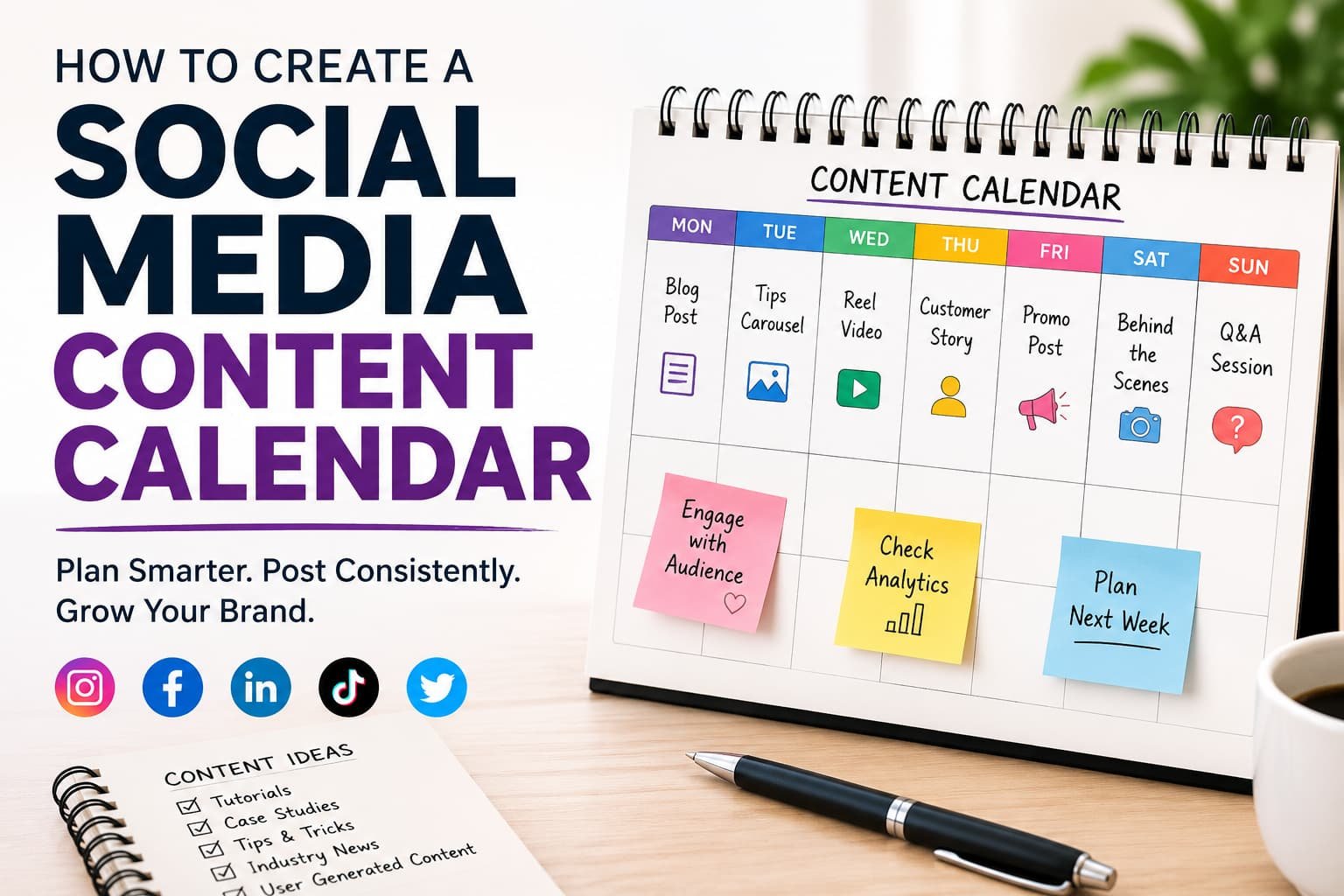
Example Weekly Schedule
Monday:
- Educational post
Tuesday:
- Short-form video
Wednesday:
- Industry insight
Thursday:
- Customer story
Friday:
- Promotional content
Saturday:
- Behind-the-scenes
Sunday:
- Community engagement post
Start small and scale gradually.
Step 6: Build Your Content Calendar
Now it’s time to organize everything.
You can use:
Google Sheets
Pros:
- Free
- Flexible
- Easy collaboration
Cons:
- Limited automation
Trello
Pros:
- Visual organization
- Simple workflow management
Cons:
- Less scheduling functionality
Asana
Pros:
- Team collaboration
- Task management
Cons:
- Learning curve
Notion
Pros:
- Highly customizable
- Great documentation features
Cons:
- Setup time required
Social Media Scheduling Tools
Popular options include:
- Hootsuite
- Buffer
- Sprout Social
- Later
- SocialPilot
These tools allow scheduling posts directly from your calendar.
Personally, I’ve used both spreadsheets and dedicated scheduling platforms. For solo creators, Google Sheets often works perfectly. For teams, automation tools become worth the investment.
Step 7: Schedule Content in Advance
Once content is created, schedule it.
Benefits include:
- Reduced daily workload
- Consistent publishing
- Better campaign management
- Fewer missed opportunities
However, don’t automate everything.
Leave room for:
- Trending topics
- Industry news
- Real-time engagement
The best content calendars balance structure with flexibility.
Common Social Media Content Calendar Mistakes
Overplanning
I’ve seen marketers schedule every post for three months ahead.
Then market conditions change.
Audience interests shift.
Trends emerge.
Plan ahead, but leave space for adaptation.
Ignoring Analytics
A calendar isn’t set in stone.
Review performance regularly.
Track:
- Reach
- Engagement
- Click-through rates
- Conversions
Use insights to refine future content.
Posting Only Promotional Content
Nobody logs into social media hoping to see endless advertisements.
A useful guideline is:
- 80% value-driven content
- 20% promotional content
Forgetting Seasonal Opportunities
Include:
- Holidays
- Industry events
- Product launches
- Awareness days
These often generate higher engagement.
Real-World Social Media Content Calendar Example
Let’s say you’re running an online fitness coaching business.
Monday
Workout Tip Video
Tuesday
Client Transformation Story
Wednesday
Nutrition Advice Carousel
Thursday
Behind-the-Scenes Reel
Friday
Free Resource Promotion
Saturday
Community Question Post
Sunday
Weekly Motivation Content
This structure creates variety while maintaining consistency.
Quick Tips for Social Media Content Planning
- Create content in batches.
- Keep a running idea bank.
- Repurpose top-performing content.
- Review analytics monthly.
- Schedule at least two weeks ahead.
- Maintain consistent branding.
- Leave room for trending topics.
- Use AI tools responsibly for brainstorming.
A small trick I use: whenever a content idea appears, I immediately save it in my notes app. Future me is always grateful.
Frequently Asked Questions
How far in advance should I create a social media content calendar?
Most businesses benefit from planning 2–4 weeks ahead. Larger brands often plan quarterly while keeping room for timely content and trends.
What is the best tool for creating a social media content calendar?
For beginners, Google Sheets is an excellent free option. For advanced scheduling and team collaboration, tools like Buffer, Hootsuite, Sprout Social, and Later offer more automation features.
How often should I update my content calendar?
Review your calendar weekly and evaluate performance monthly. Update plans based on analytics, business priorities, and emerging trends.
Can small businesses benefit from a content calendar?
Absolutely. In fact, small businesses often benefit the most because a calendar helps maximize limited time and resources while maintaining consistent visibility.
Should I schedule every social media post?
No. Schedule core content in advance, but leave room for spontaneous posts, trending topics, and real-time engagement opportunities.
Conclusion
Learning how to create a social media content calendar transformed the way I approach content marketing.
Instead of scrambling for ideas every day, I now spend more time improving content quality, analyzing results, and engaging with audiences. The process isn’t about becoming rigid—it’s about creating a framework that makes creativity easier.
Start simple. Choose a few content pillars, map out two weeks of posts, and build from there. Over time, your social media content calendar will become one of the most valuable tools in your marketing toolkit.
The brands that win on social media aren’t necessarily the most creative—they’re often the most consistent. A well-planned content calendar helps you achieve exactly that.
What does your current content planning process look like? You might be surprised how much time and stress a simple calendar can eliminate.